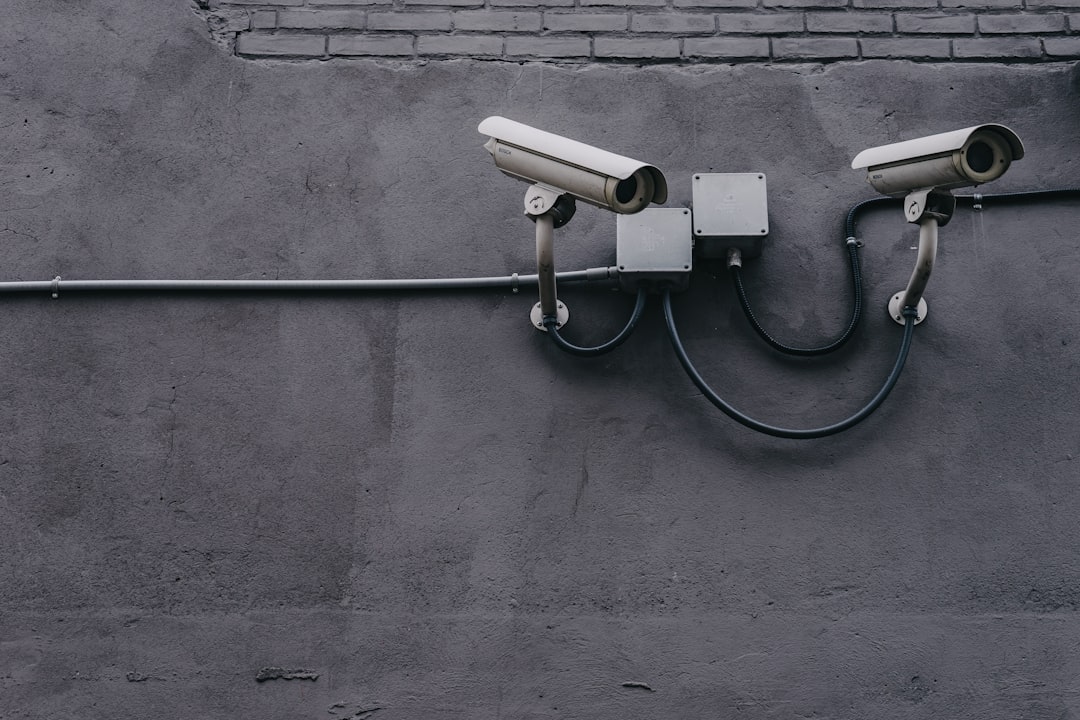
A security camera is only useful during an outage if its power, network connection, recording method, and alert path were planned together. This guide explains what happens during power and internet failures, how to estimate backup runtime, which combinations provide the most resilience, and how to run a practical outage drill before storm season or an extended absence.
Overview
A power outage and an internet outage affect different parts of a smart home security system. If the electricity fails, a plugged-in camera, Wi-Fi router, network video recorder (NVR), doorbell transformer, or smart-home hub may shut down. If the internet fails while household power remains available, cameras may continue recording locally but lose remote viewing, cloud uploads, and app notifications.
Battery-powered cameras can remain active during a power cut, but their behavior varies. Some continue recording to internal storage or a microSD card; others save clips only when they can reach a cloud service. A wired camera connected to a battery-backed uninterruptible power supply (UPS) may also continue operating, provided the UPS can support the camera and the networking equipment it needs.
The most dependable plan separates four functions:
- Power: Can the camera, router, hub, and recorder stay on?
- Connectivity: Can the system reach the local network and, if needed, the internet?
- Recording: Will footage be stored locally, in the cloud, or both?
- Notification: Can an alert reach you if the home internet connection is unavailable?
No single feature solves every outage. A camera with local storage may preserve footage without internet access, but you may not be able to view it remotely until the connection returns. Cellular failover can restore remote alerts, but it usually requires compatible networking hardware, adequate cellular coverage, and a service plan. Review the manufacturer’s recovery instructions because firmware and product behavior can change.
How to estimate outage performance
Start by listing the devices that must remain powered. For a typical wired setup, this may include cameras, the router, modem or fiber terminal, Wi-Fi access point, NVR, smart-home hub, and any network switch supplying power to cameras. For a battery camera, list the camera and any hub or bridge that it requires.
For a UPS, use this basic estimate:
Estimated runtime in hours = usable UPS watt-hours ÷ total device watts
Use the usable capacity stated by the UPS manufacturer rather than assuming the full battery rating is available. Add a safety margin because actual runtime depends on battery age, load, temperature, conversion losses, and whether the equipment draws a steady or changing amount of power. The result is an estimate, not a guarantee.
For a battery camera, estimate recording duration by comparing the manufacturer’s stated battery range with your conditions. Motion frequency, night illumination, cold weather, live viewing, two-way audio, signal strength, and recording quality can all change battery consumption. Treat the lower end of the stated range as the safer planning figure, then verify it with a real-world test.
For local storage, estimate how long the card or recorder can retain footage by checking the camera’s recording mode, resolution, frame rate, motion activity, and storage capacity. Continuous recording usually consumes storage faster than motion-only recording. A storage estimate is useful only if the camera continues writing footage when the internet is unavailable.
Inputs and assumptions
Record these details for each device in your system:
| Input | What to check |
|---|---|
| Power requirement | Input voltage, watts, USB rating, or battery type |
| Network dependency | Whether the camera needs Wi-Fi, a hub, an NVR, or cloud access |
| Recording mode | Continuous, motion-based, event-only, local, cloud, or hybrid |
| Storage capacity | microSD size, NVR capacity, overwrite behavior, and encryption settings |
| Alert route | Home broadband, cellular failover, local siren, or another notification path |
| Recovery behavior | Whether devices reconnect automatically after power or router recovery |
Do not assume that a camera marked “wireless” is independent of household power or internet. Wireless generally describes the camera’s network connection; it may still need a charged battery, a nearby hub, or an always-on router. Similarly, a cloud-only camera may show a live view during a local network failure only if its connection path is restored.
For privacy and evidence planning, decide whether local footage should be encrypted, whether a recorder is kept in the same vulnerable location as the cameras, and how footage will be exported after an incident. The security camera storage guide can help compare local and cloud recording choices, while the footage export checklist covers preservation and sharing.
Worked examples
Example 1: Wired cameras with a UPS
Suppose a household places its router, network terminal, NVR, and camera power equipment on one UPS. The combined load is measured at 30 watts, and the UPS documentation indicates 240 usable watt-hours under comparable conditions. The simple estimate is 240 ÷ 30, or about eight hours. The household should plan for less than that after applying a safety margin and should confirm the result with a timed test. If the cameras receive power from a separate switch, that switch must also be included in the UPS load.
Example 2: Battery camera with local storage
A battery camera may continue detecting motion and saving clips to a microSD card during a broadband outage if its design supports offline recording. The owner may not receive an app alert or be able to view the clip remotely at the time. After connectivity returns, the owner should verify whether stored events synchronize automatically and whether the card overwrites older footage. This arrangement protects against some internet failures but does not necessarily protect against a depleted battery or a damaged camera.
Example 3: Internet outage with cellular failover
A router with compatible cellular failover may keep the local network and remote access available when the primary broadband service stops. The setup still depends on power, cellular coverage, compatible equipment, and any required service. Test failover rather than assuming it works: disconnect the primary connection in a controlled way, confirm that the router changes paths, open the camera app from outside the home, and verify that alerts arrive.
A practical outage drill
- Choose a quiet time and notify household members before testing.
- Record the normal status of each camera, recorder, hub, and router.
- Disconnect the primary internet connection without cutting power. Test live view, recording, local playback, and alerts.
- Restore the internet, then verify that cameras reconnect and cloud synchronization resumes.
- For a power test, switch off the relevant circuit only if it is safe to do so. Confirm that the UPS, battery camera, or backup system activates.
- Check whether the router, NVR, and camera remain available for the planned runtime.
- Restore power and test automatic recovery, timestamps, recordings, and notifications.
- Write down the actual runtime, failed devices, recovery steps, and battery level.
Never use a generator indoors or in an enclosed area, and do not overload a UPS with equipment outside its rating. A qualified electrician should handle fixed wiring or transfer equipment.
When to recalculate
Revisit the plan whenever a camera, router, modem, recorder, battery, storage card, or subscription changes. Also recalculate after a firmware update if recording or reconnection behavior changes, after moving a camera to a colder or busier location, or after replacing the home network.
Schedule a short outage drill before storm season, after installing a DIY home security system, and at regular quarterly intervals. Test again before leaving the property vacant. Use the security camera maintenance checklist to combine the outage test with battery, storage, firmware, and alert checks.
Before severe weather or a planned service interruption, charge camera batteries, confirm free local storage, photograph device labels and power connections, save manufacturer recovery instructions, and keep backup communications available. If a camera stays offline after power or internet recovery, follow a structured diagnostic process rather than repeatedly resetting it; the camera-offline troubleshooting guide provides a useful sequence.
The goal is not to make every device operate indefinitely. It is to know precisely what remains protected, for how long, what cannot be viewed remotely, and what action restores coverage. That knowledge turns a security camera power outage or internet outage from an assumption into a tested household plan.